How to Order for ‘Mama Fua’ (Homecare) on Gwiji App
A quick guide to booking a vetted Gwiji cleaner for laundry, dishes, ironing and house cleaning, straight from your phone.
SNBy Samuel Njeru, COO20 Nov 20264 min read
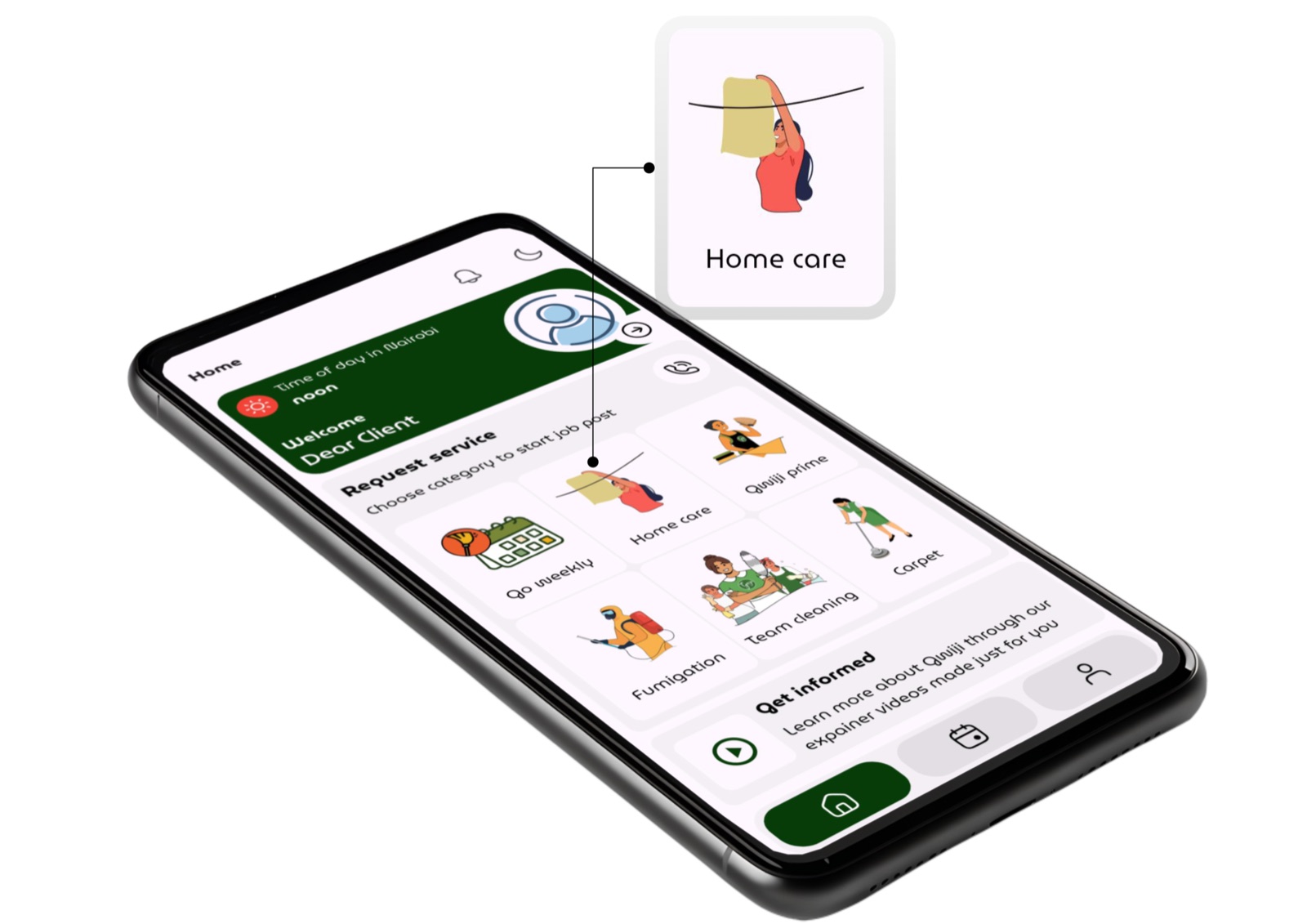
‘Mama fua’ is listed as Home care on the Gwiji client app.
Laundry piling up, dishes in the sink, and floors that need a proper scrub. For many busy households in Kenya, getting help at home means calling around for a trusted mama fua. Gwiji makes that easier.
What is Gwiji?
Gwiji is an on-demand domestic services app in Kenya. We send vetted and trained domestic workers to client homes for essential homecare: laundry, dishes and house cleaning.
What many people call mama fua is listed as Home care in the Gwiji client app, and ordering one takes just a few minutes.
Choose your service
Home care is split into five services, so you only book what you need:
General cleaningA combination of laundry, mopping and dishes in one visit.
LaundryHandwashing clothes, or machine washing if you have a washing machine at home.
Ironing & foldingWrinkle-free clothes, folded into a neat stack.
Mopping & dustingFloors, surfaces and bathrooms, including sinks and toilets.
DishesCups, plates and cooking pots, washed and neatly put away.
Each service has its own minimum rate, starting from KES 1,000.
How to order, step by step
Here is how to book a mama fua from start to finish:
Download the Gwiji appGet it from the Google Play Store or Apple App Store, and sign up as a client.
Tap Home careYou’ll find it under Request service on the home screen.
Confirm your locationCheck that your region and city are correct so we can match you with a cleaner nearby.
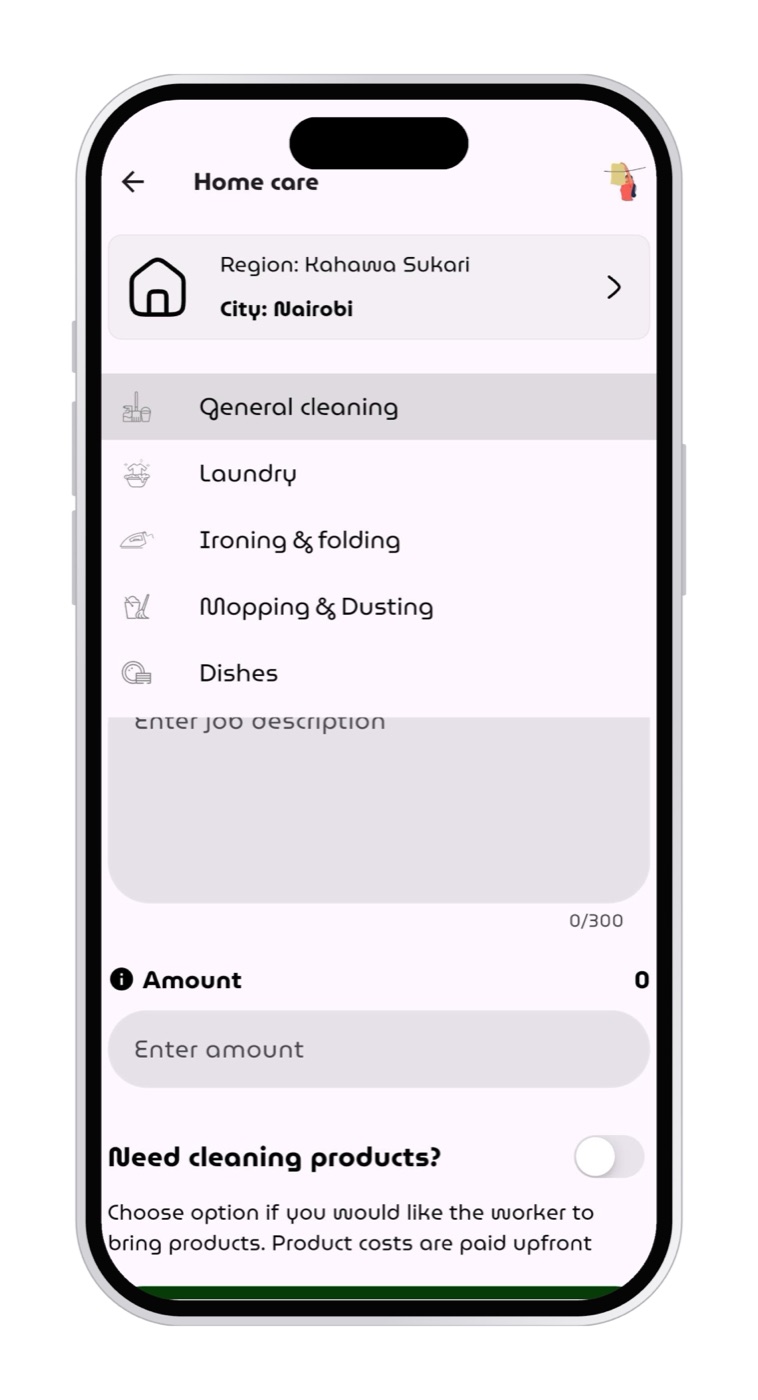
Pick a serviceGeneral cleaning, Laundry, Ironing & folding, Mopping & dusting or Dishes.
In the app
The Home care screen keeps everything in one place: pick your service, describe the task, enter your amount and choose whether you need cleaning products.
Describe the taskAdd details such as the number of rooms or the size of the laundry load, so your cleaner knows what to expect.
Choose a date and timePick when you’d like the Gwiji cleaner to come to your home.
Enter the amountOffer an amount at or above the minimum rate for that service.
Add cleaning products (optional)Switch on Need cleaning products? if you’d like the cleaner to bring them. Products are paid for upfront, and the cleaner buys them on the way to your home.
Tap Checkout to post jobYour order goes live and a vetted Gwiji cleaner nearby takes it up.
After the job: complete, rate and pay
You pay the cleaner directly after the service is done, not before. Once the cleaner has finished, mark the task as complete in the app, rate your cleaner, then pay for the service. Your rating helps us maintain quality and recognise great work.
Good to know: Gwiji cleaners take one task at a time. A task is only registered as complete once you have marked it as complete and the cleaner has paid Gwiji’s commission. Paying the commission unlocks the cleaner’s next order.
Fair pay for every cleaner
In line with our empowerment agenda, Gwiji charges a modest 20% commission on every task performed through the app. That means cleaners keep 80% of what they earn.
“Every order you place on Gwiji supports a trained domestic worker earning a fair living.”